
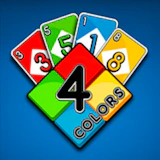
4 Colors PGS
Mesa • board • desktop
Challenge your strategy skills in 4 Colors PGS, a card game blending simplicity and depth. Outsmart up to three clever AI opponents in a battle to empty your hand first. With intuitive controls and engaging gameplay, it's a thrilling…
4 Colors PGS puts you straight into the action: a classic board and card game where strategy and a little luck shape every match, level after level, run after run. Challenge your strategy skills in 4 Colors PGS, a card game blending simplicity and depth. Outsmart up to three clever AI opponents in a battle to empty your hand first. With intuitive controls and engaging gameplay, it's a thrilling test of tactics and timing. Play 4 Colors PGS free on NepLox Games: instant browser play, fullscreen support, and no downloads or sign-ups. Designed for widescreen play — keyboard and mouse on desktop give you full control.
Acerca de 4 Colors PGS
Challenge your strategy skills in 4 Colors PGS, a card game blending simplicity and depth. Outsmart up to three clever AI opponents in a battle to empty your hand first. With intuitive controls and engaging gameplay, it's a thrilling…
Cómo se juega — 4 Colors PGS
- How do you play 4 Colors PGS? — 4 Colors PGS is a classic board and card game where strategy and a little luck shape every match. Open the page, press play and follow the short in-game tutorial — most players understand the controls in under a minute.
- What are the controls for 4 Colors PGS? — On desktop, steer with the arrow keys or WASD and act with the mouse. On mobile, 4 Colors PGS shows on-screen touch buttons tuned for landscape play.
- Is 4 Colors PGS free to play? — Yes — 100% free. The game runs in your browser with no download, no installation and no account. You can start playing in seconds.
- Can I play 4 Colors PGS on my phone? — Yes, though the game is designed for widescreen screens — it works best on desktop with a keyboard, and also runs on tablets and phones in landscape mode.
Preguntas frecuentes
Preguntas frecuentes sobre este juego
How do you play 4 Colors PGS?+
What are the controls for 4 Colors PGS?+
Is 4 Colors PGS free to play?+
Can I play 4 Colors PGS on my phone?+
Any tips to get better at 4 Colors PGS?+
Who made 4 Colors PGS?+
Cómo jugar — 4 Colors PGS
- How do you play 4 Colors PGS?
4 Colors PGS is a classic board and card game where strategy and a little luck shape every match. Open the page, press play and follow the short in-game tutorial — most players understand the controls in under a minute. - What are the controls for 4 Colors PGS?
On desktop, steer with the arrow keys or WASD and act with the mouse. On mobile, 4 Colors PGS shows on-screen touch buttons tuned for landscape play. - Is 4 Colors PGS free to play?
Yes — 100% free. The game runs in your browser with no download, no installation and no account. You can start playing in seconds. - Can I play 4 Colors PGS on my phone?
Yes, though the game is designed for widescreen screens — it works best on desktop with a keyboard, and also runs on tablets and phones in landscape mode.






Escape The Trap
Arcade 8.8
Snake Classic
Arcade 9.7

Drive Mad
Carreras 9.4

Cyber Racer
Carreras 10.0
Invaders
Disparos 9.7
Space Shooter
Disparos 9.8