
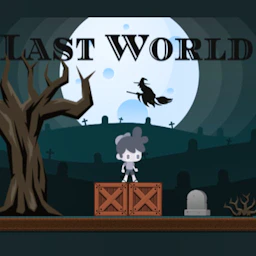
Last World
Action • action • monster
Last World is a free action game you can play instantly in your browser — no download needed. undefined
Dive into Last World, a thrilling 2D adventure brimming with mystical foes and daring escapes. Guide the young hero through 10 captivating episodes, mastering simple yet engaging controls. Dodge eerie adversaries and conquer treacherous terrains in a quest that blends action and story-driven intrigue for endless excitement. On this page Last World runs inside a dedicated player with a fullscreen button, quick reload and history tracking, so your sessions pick up where you left them. It works in Chromium, Safari and Firefox on desktop, tablets and phones — the layout adapts to portrait or landscape automatically. Like all action games on NepLox, it is completely free to play and supported by short in-game ad breaks that keep the project alive and growing.
About Last World
Last World is a free action game you can play instantly in your browser — no download needed. undefined
Gameplay — Last World
- What is Last World? — Last World is a free action game you can play in your browser — no download, no account, no install. Just click the play button and the game loads on this page.
- How do you play Last World? — You control Last World with your keyboard and mouse on desktop, or touch controls when playing on a phone or tablet. The on-screen instructions at the start of each run explain the exact buttons.
- Is Last World free to play? — Yes — Last World is 100% free, ad-supported. Ads pay for the servers so you never pay a cent to play. NepLox Games curates the library and hosts the player experience.
- Can I play Last World on mobile and desktop? — Yes. Last World runs in any modern browser — Chrome, Safari, Firefox or Edge — on Android phones, iPhones, tablets, laptops and desktops, adapting to portrait or landscape automatically.
FAQ
Frequently asked about this game
What is Last World?+
How do you play Last World?+
Is Last World free to play?+
Can I play Last World on mobile and desktop?+
Which category does Last World belong to?+
Does Last World work offline?+
How to Play — Last World
- What is Last World?
Last World is a free action game you can play in your browser — no download, no account, no install. Just click the play button and the game loads on this page. - How do you play Last World?
You control Last World with your keyboard and mouse on desktop, or touch controls when playing on a phone or tablet. The on-screen instructions at the start of each run explain the exact buttons. - Is Last World free to play?
Yes — Last World is 100% free, ad-supported. Ads pay for the servers so you never pay a cent to play. NepLox Games curates the library and hosts the player experience. - Can I play Last World on mobile and desktop?
Yes. Last World runs in any modern browser — Chrome, Safari, Firefox or Edge — on Android phones, iPhones, tablets, laptops and desktops, adapting to portrait or landscape automatically.


Escape The Trap
Arcade 8.8
Snake Classic
Arcade 9.7
Drive Mad
Racing 9.4
Cyber Racer
Racing 10.0
Invaders
Shooting 9.7
Space Shooter
Shooting 9.8