
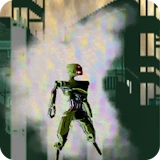
Compassion
Arcade • arcade • desktop
Compassion invites you to relive the retro glory days with strategic fights against fearsome monsters. Skillfully dodge attacks, unleash powerful strikes, and plan your moves meticulously, all while soaking in the nostalgic visuals.…
Compassion puts you straight into the action: a fast-paced arcade game where reflexes and rhythm decide how far you get, level after level, run after run. Compassion invites you to relive the retro glory days with strategic fights against fearsome monsters. Skillfully dodge attacks, unleash powerful strikes, and plan your moves meticulously, all while soaking in the nostalgic visuals. Every decision counts in this immersive journey where survival hinges on your wit and reflexes. Play Compassion free on NepLox Games: instant browser play, fullscreen support, and no downloads or sign-ups. Designed for widescreen play — keyboard and mouse on desktop give you full control.
Hakkında Compassion
Compassion invites you to relive the retro glory days with strategic fights against fearsome monsters. Skillfully dodge attacks, unleash powerful strikes, and plan your moves meticulously, all while soaking in the nostalgic visuals.…
Oynanış — Compassion
- How do you play Compassion? — Compassion is a fast-paced arcade game where reflexes and rhythm decide how far you get. Open the page, press play and follow the short in-game tutorial — most players understand the controls in under a minute.
- What are the controls for Compassion? — On desktop, steer with the arrow keys or WASD and act with the mouse. On mobile, Compassion shows on-screen touch buttons tuned for landscape play.
- Is Compassion free to play? — Yes — 100% free. The game runs in your browser with no download, no installation and no account. You can start playing in seconds.
- Can I play Compassion on my phone? — Yes, though the game is designed for widescreen screens — it works best on desktop with a keyboard, and also runs on tablets and phones in landscape mode.
SSS
Bu oyun hakkında SSS
How do you play Compassion?+
What are the controls for Compassion?+
Is Compassion free to play?+
Can I play Compassion on my phone?+
Any tips to get better at Compassion?+
Who made Compassion?+
Nasıl Oynanır — Compassion
- How do you play Compassion?
Compassion is a fast-paced arcade game where reflexes and rhythm decide how far you get. Open the page, press play and follow the short in-game tutorial — most players understand the controls in under a minute. - What are the controls for Compassion?
On desktop, steer with the arrow keys or WASD and act with the mouse. On mobile, Compassion shows on-screen touch buttons tuned for landscape play. - Is Compassion free to play?
Yes — 100% free. The game runs in your browser with no download, no installation and no account. You can start playing in seconds. - Can I play Compassion on my phone?
Yes, though the game is designed for widescreen screens — it works best on desktop with a keyboard, and also runs on tablets and phones in landscape mode.




Escape The Trap
Arcade 8.8
Snake Classic
Arcade 9.7

Drive Mad
Yarış 9.4
Cyber Racer
Yarış 10.0
Invaders
Atış 9.7
Space Shooter
Atış 9.8